
Airport GPUs don’t fail when it’s convenient. They fail when an aircraft is parked, a gate is blocked, and the clock is already ticking. One unstable unit can slow a turnaround, frustrate ground crews, and create risk where there shouldn’t be any.
Airport GPU maintenance is what keeps that from happening. When it’s done right, GPUs deliver steady power, gates stay on schedule, and crews don’t have to improvise fixes under pressure. When it’s ignored, small issues turn into delays, safety concerns, and avoidable aircraft exposure.
This guide focuses on practical airport GPU maintenance. The kind that keeps units reliable, compliant, and ready when the aircraft arrives.
At a Glance:
Gate Reliability Comes First: Airport GPU maintenance directly affects aircraft turnaround, gate availability, and ground crew efficiency.
Failures Build Quietly: Most GPU issues develop over time and surface only when the unit is under aircraft load.
Replacement Is Part of Maintenance: Planning how critical components will be replaced reduces disruption when service support is limited.
Clear Roles Reduce Risk: Defined ownership across maintenance, operations, procurement, and suppliers keeps GPU issues from escalating at the gate.
What Is Airport GPU Maintenance?
Airport GPU maintenance is the set of inspections, checks, and controls that keep ground power units delivering stable electrical power to parked aircraft. It focuses on power quality, equipment condition, and safe operation at the gate, where failures directly affect turnaround time and aircraft systems.
Unlike many support assets, GPUs operate under load, in open environments, and on tight schedules. Small issues can escalate fast if they aren’t identified early.
What airport GPU maintenance actually includes
Power output verification to confirm voltage and frequency remain within aircraft limits under load
Cable and connector inspection, focusing on wear, heat damage, and contact integrity
Thermal management checks for cooling fans, airflow paths, and heat buildup
Environmental exposure checks for moisture ingress, corrosion, and debris
Control and safety system checks, including interlocks, fault indicators, and shutdowns
Usage and fault logging to identify repeat issues and plan service intervals
These steps reduce the risk of unstable power, unexpected shutdowns, and aircraft electrical exposure.
Most GPU failures don’t come out of nowhere; they build up from a few common issues that go unnoticed until the unit is under load.
Common Causes of Airport GPU Failure
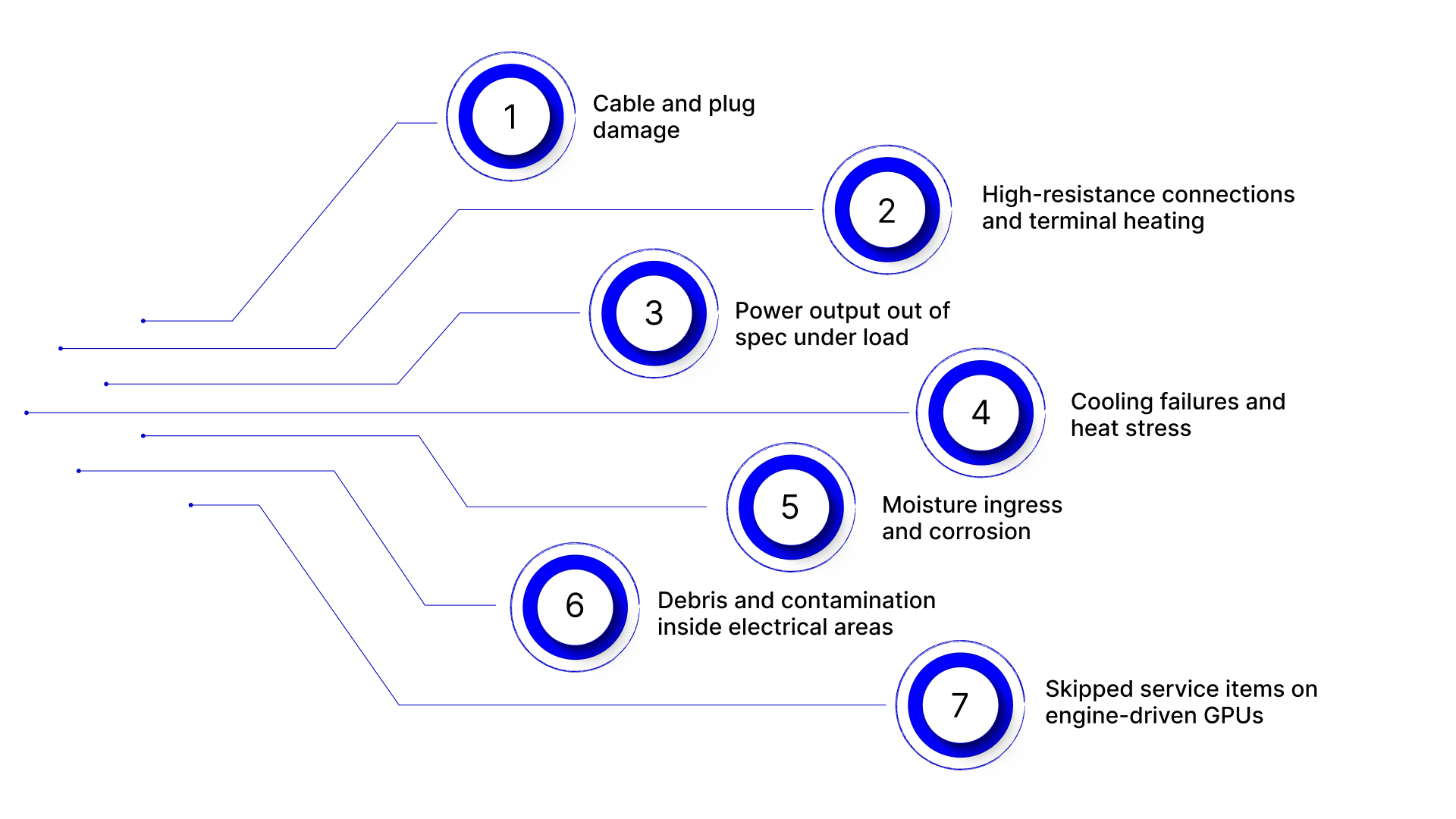
Airport GPUs rarely fail because of a single major fault. Most breakdowns trace back to gradual wear, power instability, or environmental exposure that goes unnoticed during daily operations. These issues often develop while the unit is still functioning, only becoming obvious when an aircraft is connected and demand peaks.
Understanding the most common failure points helps maintenance teams prioritize inspections, reduce unplanned downtime, and avoid problems that surface during active gate operations.
1) Cable and plug damage
Cables take constant abuse: dragging, bending, vehicle traffic, and improper strain relief. Connectors wear too. When contact surfaces degrade, resistance goes up and heat follows. Preventive programs often treat cables as a primary risk area for GPU reliability.
2) High-resistance connections and terminal heating
Loose, corroded, or contaminated terminals create resistance. Resistance creates localized heating. Over time, that can lead to arcing, burned lugs, nuisance trips, or outright failure. Aviation guidance repeatedly flags corrosion and dirty terminals as drivers of overheating and fire risk.
3) Power output out of spec under load
Many GPUs look fine unloaded, then sag, distort, or behave inconsistently once an aircraft draws power. Drift in regulation or control components can push voltage/frequency away from what aircraft systems expect.
That’s why 400 Hz output testing under realistic conditions matters, not just quick checks.
4) Cooling failures and heat stress
Fans clog. Filters load up. Air paths get blocked. Heat builds inside enclosures, and electronics age faster. In hot ramps or enclosed pits, marginal cooling becomes a recurring cause of instability and shutdowns.
5) Moisture ingress and corrosion
GPUs live outdoors. Water intrusion, condensation, salt air, and de-icing residue accelerate corrosion and degrade insulation and connections. Once corrosion starts, it often shows up later as intermittent faults that are hard to reproduce at the shop.
6) Debris and contamination inside electrical areas
Dust, dirt, and debris inside power compartments can become combustible when terminals overheat or arc. This is one of those “small housekeeping” issues that turns into a major incident risk if ignored.
7) Skipped service items on engine-driven GPUs
For diesel GPUs, reliability failures often come from basics: clogged filters, poor fuel quality, overdue oil changes, and neglected air filtration. These don’t look like “electrical” problems at first, but they trigger unstable power delivery and downtime at the gate.
Once you know where GPU failures usually start, preventive checks become the fastest way to stop them before they reach the gate.
Preventive Airport GPU Maintenance: What Teams Should Check Regularly
Preventive maintenance works best when it’s focused on the moments that stress a GPU the most. Start-ups, aircraft connections, peak load, and weather exposure are where small weaknesses show up first. Regular checks should be built around these conditions, not just calendar intervals.
The goal isn’t to inspect everything every time. It’s to focus on the components and signals that predict instability, safety risk, or downtime before a unit is assigned to an aircraft.
Electrical Checks
These checks confirm the GPU can deliver stable power when an aircraft is connected. Most electrical failures start here and show up only under load.
Checklist
Verify voltage and frequency remain stable under expected load
Watch for fluctuations during start-up and connection
Inspect power cables for cracks, heat marks, or stiffness
Check strain relief at both ends of the cable
Inspect connectors for discoloration, pitting, or loose contacts
Confirm secure seating of plugs during connection
Mechanical Checks
Mechanical issues often lead to electrical failures by causing overheating, vibration, or physical damage over time.
Checklist
Confirm cooling fans run smoothly without abnormal noise
Check airflow paths for blockage or buildup
Inspect enclosures for cracks, loose panels, or damaged seals
Verify access panels close and latch properly
Check wheels, casters, or rails for smooth movement
Confirm the unit remains stable when positioned at the gate
Environmental Checks
GPUs operate outdoors and near aircraft traffic. Environmental exposure accelerates wear if not monitored.
Checklist
Look for signs of water ingress or condensation
Check for corrosion around fasteners and access points
Remove dust, dirt, and debris from vents and compartments
Inspect cable storage areas for standing water or grime
Confirm the unit is parked on stable, level ground
Check for damage caused by vehicles or ground equipment
Even with strong preventive checks in place, the real test of airport GPU maintenance is whether issues are addressed before a unit is assigned to an active gate.
Planned GPU Maintenance vs Reactive Gate Failures
Airport GPUs rarely fail in isolation. They fail when an aircraft is already parked, ground crews are waiting, and gate schedules are tight. The difference between a controlled maintenance event and a disruptive gate failure often comes down to when issues are addressed, not what failed.
Aspect | Planned GPU Maintenance | Reactive Gate Failure |
Failure detection point | Issues identified under controlled conditions, before aircraft connection | Problems surface only when the GPU is under live aircraft load |
Decision ownership | Clear authority across maintenance, ops, and procurement | Decisions escalated in real time, often without alignment |
Gate impact window | Work scheduled outside active gate assignments | Gate remains blocked until the issue is resolved |
Crew behavior | Standard procedures followed without time pressure | Improvised workarounds under operational stress |
Replacement readiness | Known spares, approved suppliers, defined lead paths | Scramble for available units or emergency sourcing |
Aircraft exposure | Electrical connection risks minimized | Increased risk due to unstable or interrupted power |
Root-cause resolution | Time available to address underlying issues | Focus limited to restoring operation, not fixing causes |
When a GPU issue escalates from a technical fault to a gate-level disruption, ownership clarity becomes just as critical as the repair itself.
Who Owns Airport GPU Maintenance?
Airport GPU maintenance often breaks down not because of technical complexity, but because of unclear ownership. When a GPU fails at the gate, multiple teams are involved: operations, maintenance, procurement, and sometimes external suppliers.
If responsibilities are not clearly defined in advance, response time slows and operational pressure increases.
In most airport environments, ownership typically breaks down as follows:
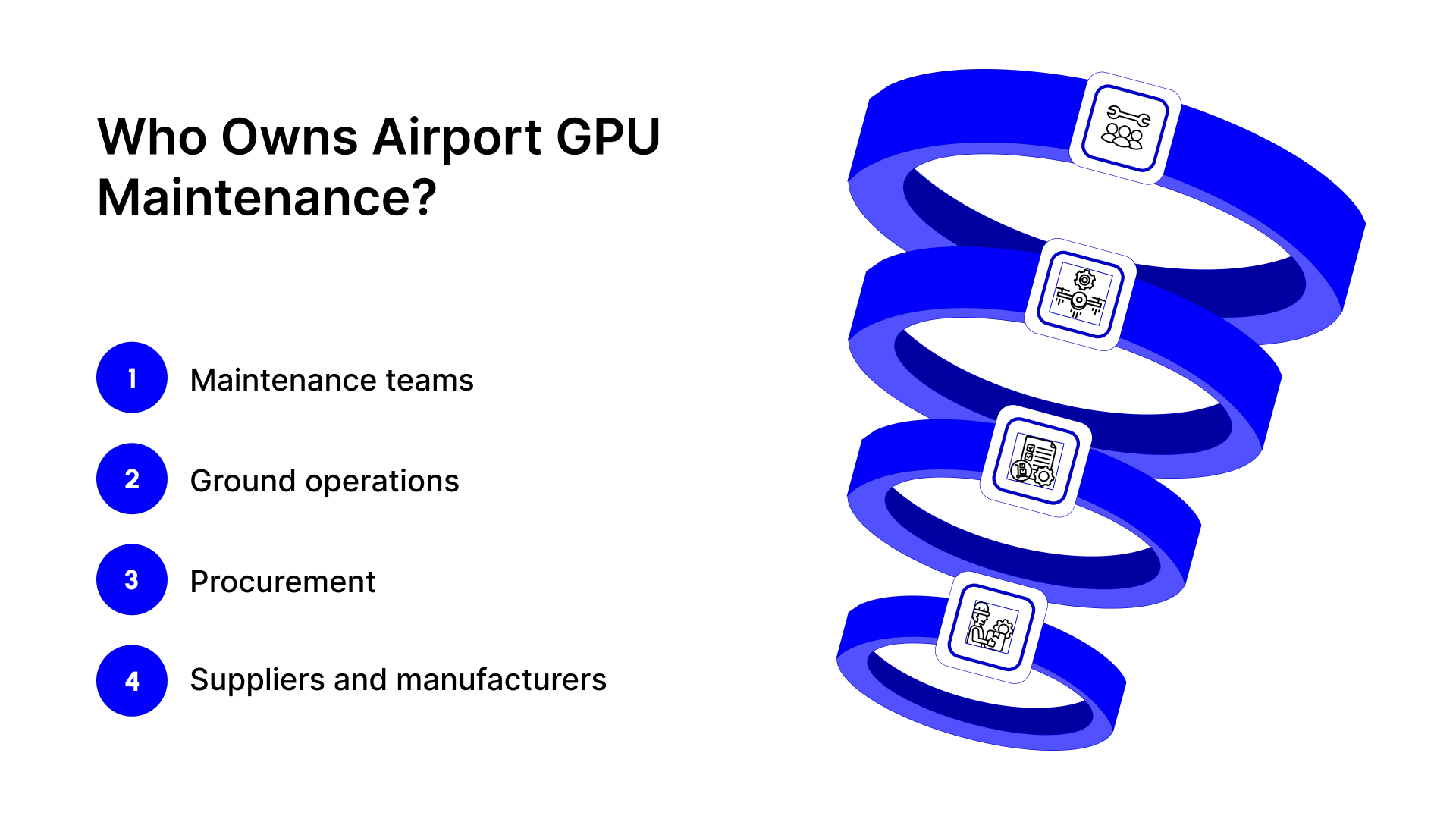
Maintenance teams
Own inspections, preventive checks, fault diagnosis, and decisions to remove a GPU from service. They are responsible for identifying risks early and flagging when a unit should not be assigned to an aircraft.
Ground operations
Own gate availability and day-to-day GPU deployment. They experience the immediate impact of failures and are often the first to escalate issues when a unit disrupts turnaround flow.
Procurement
Own replacement readiness. This includes sourcing critical components, managing supplier options, and ensuring replacement paths are defined when service support is limited or no longer available.
Suppliers and manufacturers
Support maintenance outcomes within clearly defined boundaries. For example, manufacturers like FSR build radiators used in airport ground support equipment and industrial applications, supplying replacement components when servicing is not part of the scope.
When maintenance identifies a failed component and servicing is not required, the remaining question is how that component gets replaced without delaying operations.
How FSR Supports Airport GPU Maintenance Readiness
In airport GPU maintenance, not every issue requires service intervention. Often, the challenge arises when an existing GPU remains in use, but a critical component needs replacement to restore reliability and avoid gate disruption. In these situations, what matters most is having a clear manufacturing path for the part—without adding service-layer complexity.
FSR Products supports airport GPU maintenance by focusing exclusively on manufacturing and supplying radiators used in airport ground support equipment and related industrial applications.
How FSR helps in practice:
Replacement-focused manufacturing for radiators used in existing GPU and GSE installations
Like-for-like builds to support component replacement without requiring system redesign
Application-aligned supply based on how equipment is actually used in airport environments
Manufacturing-only support model, with no on-site servicing or maintenance execution
Direct supply to airport operators and equipment owners, supporting procurement and maintenance planning
By separating component availability from maintenance responsibility, FSR helps airport teams restore GPU reliability faster while keeping ownership, servicing, and operational control clearly defined.
Conclusion
Airport GPU maintenance is about staying in control when time and access are limited. Failures rarely happen at convenient moments. They surface at the gate, under load, and during active turnarounds.
By manufacturing and supplying radiators used in airport ground support equipment, FSR Products supports airport GPU maintenance by enabling replacement readiness when servicing is not required.
If your team is reviewing GPU reliability, replacement planning, or supplier dependency, early coordination reduces pressure later.
Visit the Contact Us page to connect with FSR.
FAQs
1. How does airport GPU maintenance affect gate allocation and stand planning?
Unreliable GPUs can force last-minute gate changes or limit which stands can support parked aircraft, adding pressure to airport scheduling teams.
2. Why do some GPUs pass inspections but still fail during aircraft turnaround?
Many GPU issues only appear under sustained aircraft load, where heat, connection quality, and control stability are fully stressed.
3. How can airports manage airport GPU maintenance across mixed GPU fleets?
Mixed fleets often require different inspection routines, spare strategies, and sourcing paths, making standardization a key maintenance challenge.
4. What role does replacement planning play in long-term airport GPU maintenance?
Replacement planning reduces dependency on emergency fixes and helps airports maintain operational continuity as equipment ages.
5. When should airport GPU maintenance strategies be revisited?
If GPU issues repeatedly disrupt turnarounds or sourcing decisions are made under pressure, it signals that the maintenance approach needs reassessment.